Page 2 of 20
Re: 718 Coding using Launch X431 tool
Posted: Tue Apr 11, 2023 8:11 pm
by blueline
Arne2 wrote: Tue Apr 11, 2023 8:06 pm
blueline wrote: Tue Apr 11, 2023 8:01 pm
This appears to function similarly in some ways (or achieve a similar end result, anyway) to Windows Registry edits and changes.
Similar process, and similarly cryptic descriptions. And sometimes the path makes no sense. It took me a long time to find the A-S/S bit. Who would have thought that would be configured in the A/C controller?
No kidding! Software has not been one of Porsche's strong suits imo.
They do software differently everywhere on that side of the pond. I really like my AiM Solo 2 DL but the Italian designed software sometimes (ok, most of the time) has me scratching my head.
Re: 718 Coding using Launch X431 tool
Posted: Tue Apr 11, 2023 8:12 pm
by Arne2
By default, opening either deck or trunk via fob or proximity sensors unlocks the doors as well. To me, that's silly. Say I'm at cars & coffee, and need something from the trunk. I open the trunk, grab the camera or whatever, and close the trunk. But now the doors are unlocked, so I have remember to lock the car again before I leave. Neither my Audi or Golf are/were this way. I can open the hatch on the Audi while locked, and none of the doors unlock. Close the hatch, the car chirps and is locked. Much more logical to me. The change here addresses this.
Don't unlock all doors when opening trunk/rear lid via fob or proximity sensors
- Front-end Electronics > Coding value--General--General: Central locking opens with lid/rear lid unlocking = No
{Default: Yes}
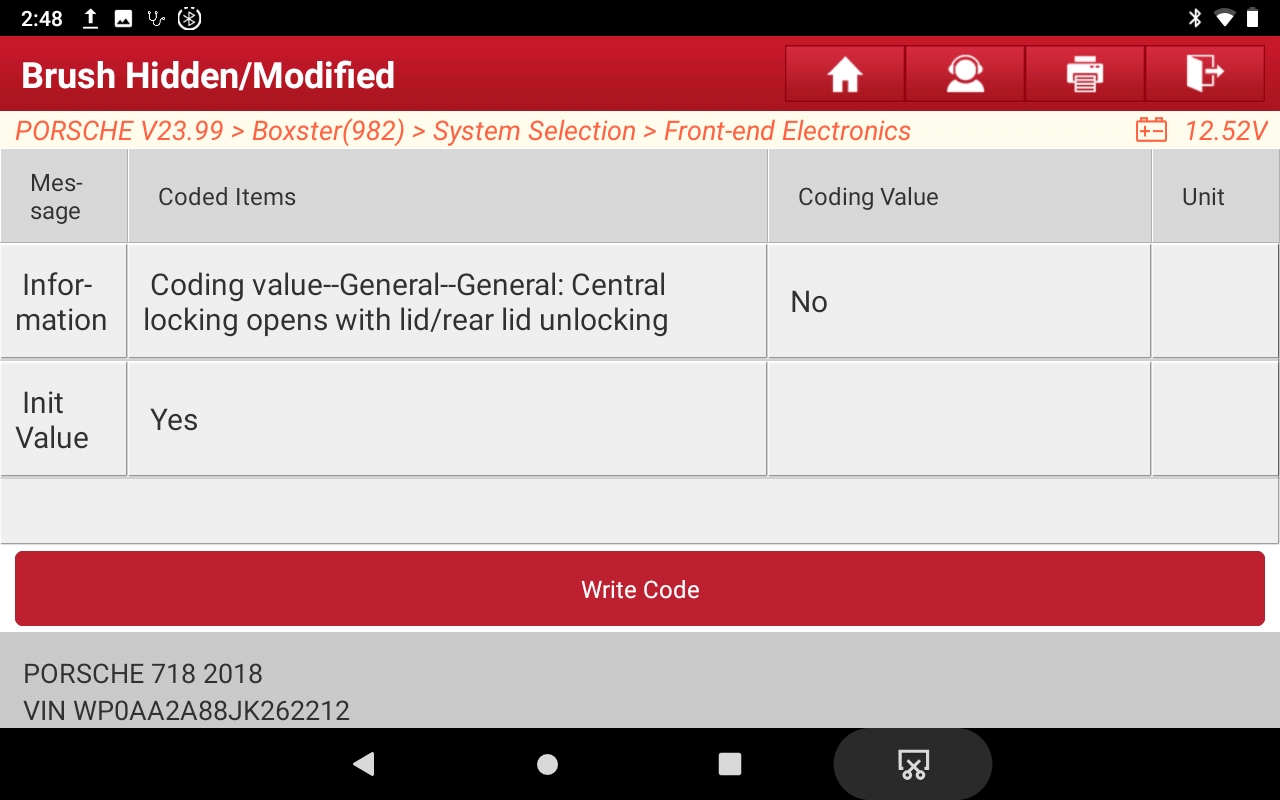
- Open lids w-out unlock.jpeg (435.41 KiB) Viewed 3422 times
Re: 718 Coding using Launch X431 tool
Posted: Tue Apr 11, 2023 8:15 pm
by Arne2
blueline wrote: Tue Apr 11, 2023 8:11 pm
No kidding! Software has not been one of Porsche's strong suits imo.
They do software differently everywhere on that side of the pond. I really like my AiM Solo 2 DL but the Italian designed software sometimes (ok, most of the time) has me scratching my head.
The really odd thing is that most all of these coding changes are the same across most VAG products. Except that in my Audi (and a prior VW) many of these were user-accessible via the MMI (VW/Audi equivalent of our PCM). But in a Porsche, you have to act like a hacker and muck inside the system.
Re: 718 Coding using Launch X431 tool
Posted: Tue Apr 11, 2023 8:25 pm
by Larry C
Arne,
Thanks for all the helpful information. This is a bit off topic, but do you know if my 2022 Cayman GTS has proximity sensors? If it does, they don’t work. I’m wondering if I don’t have them or they are just deactivated. If the latter is the case, can they be activated via coding?
Thanks,
Larry
Re: 718 Coding using Launch X431 tool
Posted: Tue Apr 11, 2023 8:51 pm
by P_Coastal
My understanding is that 2022 lost the sensors (supply chain issue), they are back for 2023.
Re: 718 Coding using Launch X431 tool
Posted: Tue Apr 11, 2023 10:38 pm
by Arne2
I've found, changed and tested the spoiler deploy speed. It's one of the parameters that is not fully translated from German.
The default of 125 kph is 78 mph, and with the normal speedo error of reading about 2 mph fast, it seems to deploy at 80 mph indicated. You can go higher or lower here, depending on your need. I dropped mine to 105 kph (65 mph) because I seem to frequently drive in windy conditions where the spoiler helps even at lower speeds. If you have added a GT4-style wing, you can effectively disable the spoiler by bumping the speed way high, like 299 kph.
Spoiler Deployment Speed
- System Selection > Rear-end Electronics > Spoiler parameter--GeschwSchwEinf 1 = your target speed in kph
{Default: 125}
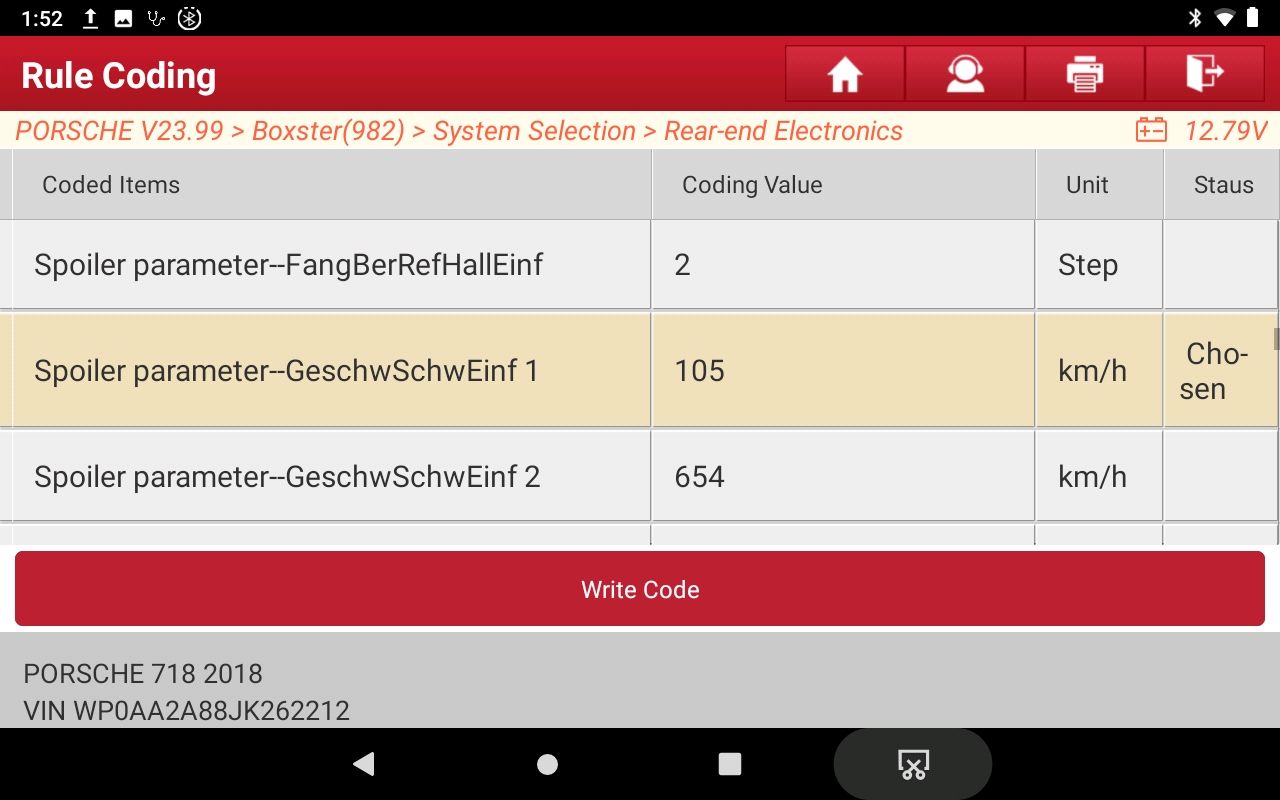
- Spoiler speed.jpeg (470.58 KiB) Viewed 3398 times
Re: 718 Coding using Launch X431 tool
Posted: Wed Apr 12, 2023 10:43 am
by Tom
This is super cool. Where did you get the tool, and do you know if it works on the 992? Turning off the auto start-stop would be huge!! Asking for a friend.

Re: 718 Coding using Launch X431 tool
Posted: Wed Apr 12, 2023 11:24 am
by Arne2
Tom wrote: Wed Apr 12, 2023 10:43 am
This is super cool. Where did you get the tool, and do you know if it works on the 992? Turning off the auto start-stop would be huge!! Asking for a friend.
Best place to buy is through Amazon. That way if for some reason it won't talk to your car you can return it. There is a bewildering array of Launch devices with a wide range of prices available. You want one with the X431 software, with "bi-directional" or "coding capable" in the description. Almost all of them will do this. The main differences will be in the Android tablet that it comes preloaded on - primarily screen size and tablet processor and memory. If you can live with a small screen they are much more affordable than what I paid for the big unit I have.
The X431 system consists of an Android device with the X431 app pre-loaded, and a bluetooth OBDII dongle.
The device needs a live wifi connection to the internet to work, as some of the translations and descriptions appear to be downloaded in real-time.
I normally tell it to do "Intelligent Diagnose", which causes it to query the OBDII port for the VIN, and identifies the car's year, make and model. But you can manually specify the car. I went to the Vehicle Coverage menu in mine, and it does list 992 as covered. (See below.) I don't know if the A-S/S codes are in the same path as my 718, but I suspect it is likely. I'd actually be interested in trying this on someone's 992 to find out. I'll need to check for public wifi at our next PCA C&C...
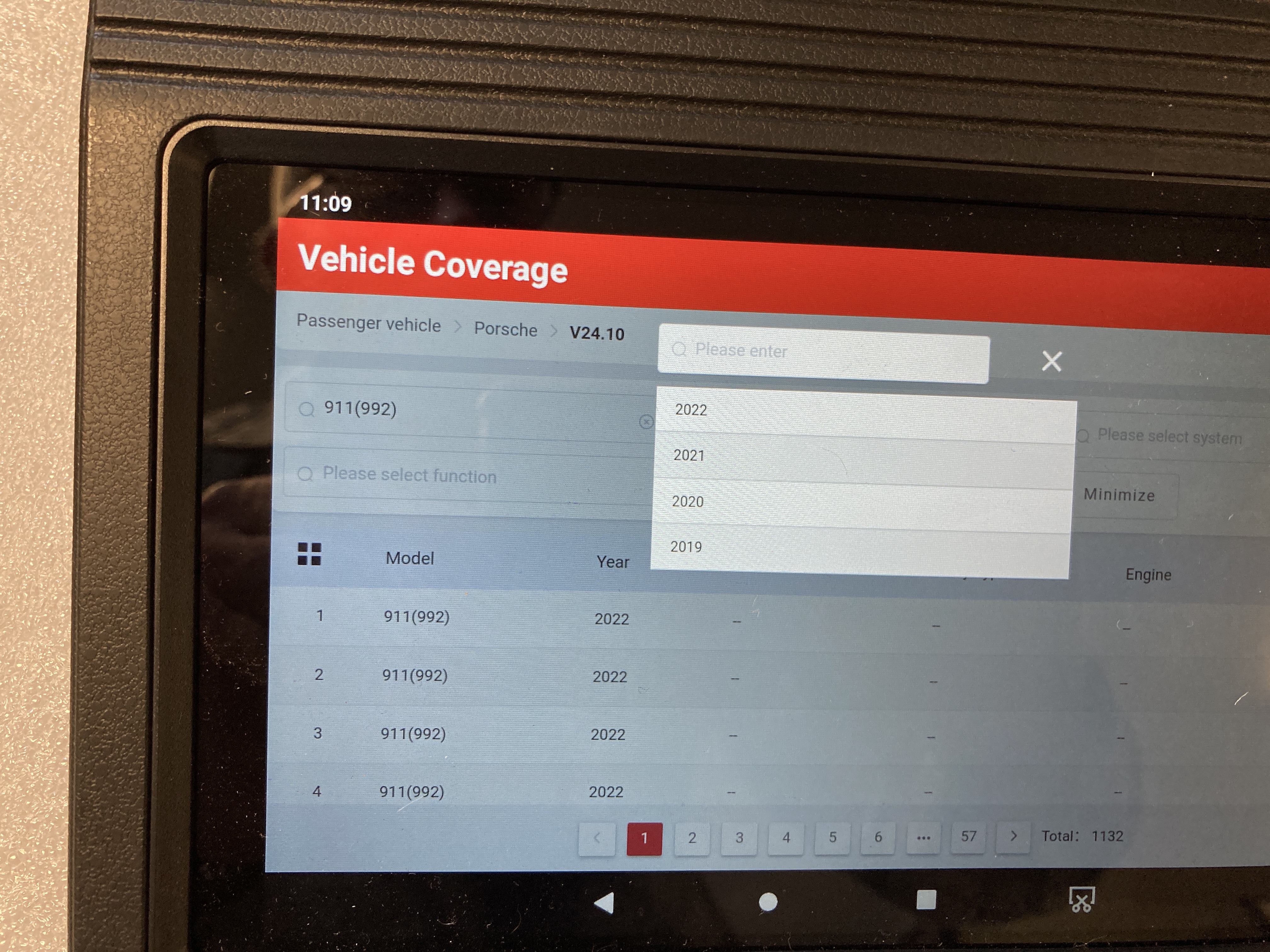
- IMG_4631.JPG (4 MiB) Viewed 3366 times
Re: 718 Coding using Launch X431 tool
Posted: Wed Apr 12, 2023 11:37 am
by Arne2
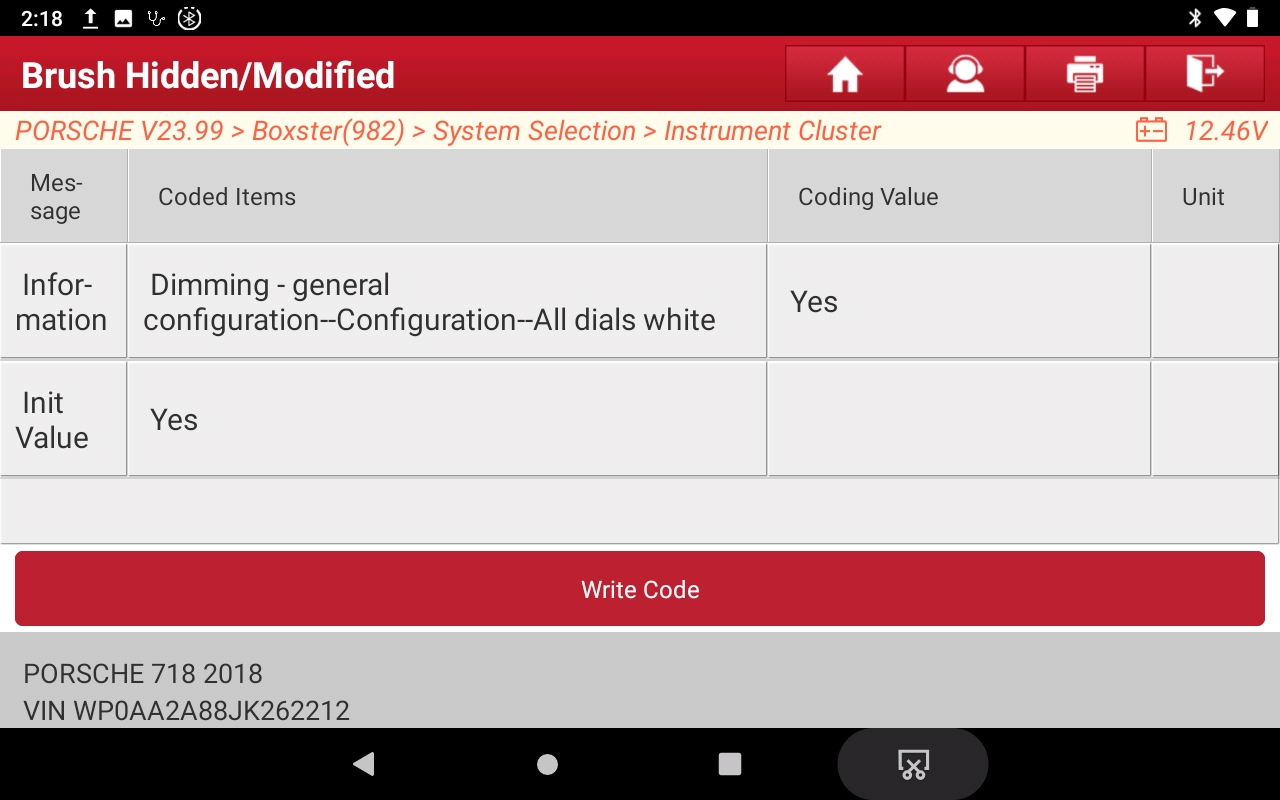
You can enable backlighting on the tach and speedo with headlights off. This makes all the numbers readable in daylight, but does not illuminate the gauge needles. You can turn on the central tach dial only, or both speedometer and tach.
Daylight gauge backlighting on
- Instrument Cluster > Dimming-general configuration > Configuration-central dial white = YES
{Default: No}
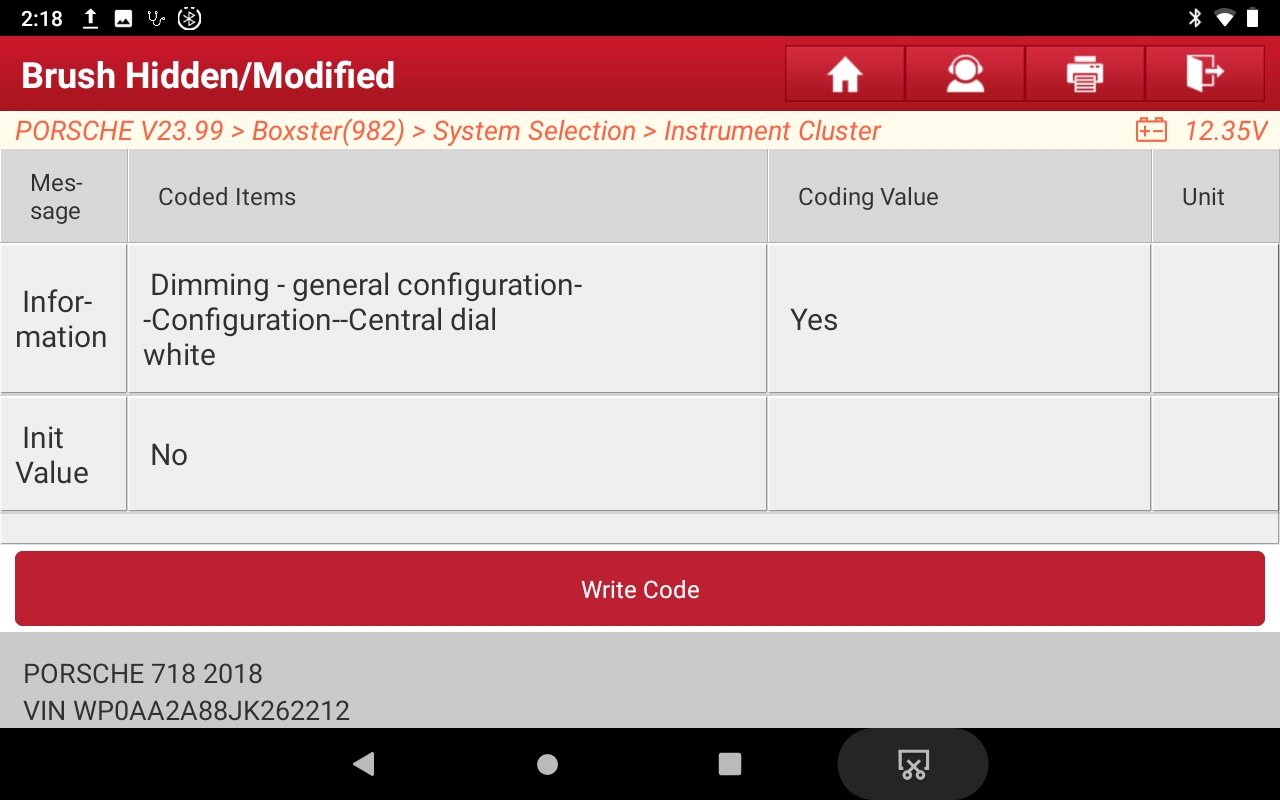
- White gauges-1.jpeg (431.76 KiB) Viewed 3358 times
- Instrument Cluster > Dimming-general configuration > Configuration-all dials white = YES
{Default: No}
- White gauges-2.jpeg (430.16 KiB) Viewed 3358 times
Re: 718 Coding using Launch X431 tool
Posted: Wed Apr 12, 2023 12:38 pm
by Arne2
The white-gauge-face hack
posted here to turn on the gauge backlighting at all times has one drawback—the gauge needles don't light up unless the lights are actually on.
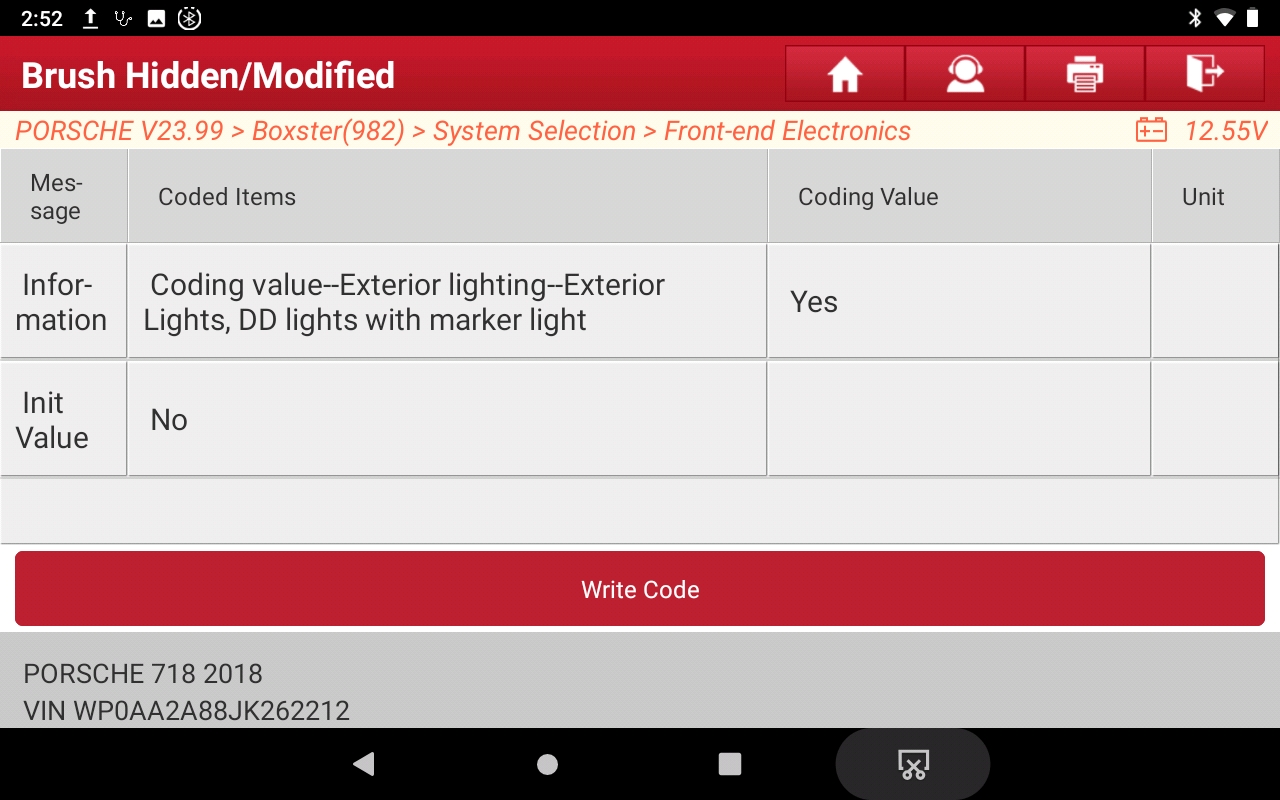
There is an other way to light the gauges that lights the needles as well. That is done by adding the "marker lights" to the DRL settings. (This is known as "Scandinavian DRLs" in Audi and VW parlance.) The "marker lights" are the tail lights, license lights, front side markers (in the US and Canada)
and the gauges including the needles. By default (at least on my 2018 CB), the front parking lights are NOT activated by this change. (There is a separate option to turn these on with DRLs.) But the gauges (incl. needles) do come on with the key, in any light. The drawback to this one is that while some people can tolerate running the tail lights at all times, having the front side markers always lit bothers them. To address that, check
this next post.
Gauges w/needles (aka Scandinavian DRLs)
- System Selection > Front-end Electronics > Coding value--Exterior lighting--Exterior lights, DD lights with marker light = Yes
{Default: No}
- Tails with DRLs.jpeg (433.76 KiB) Viewed 3348 times