Page 18 of 20
Re: 718 Coding using Launch X431 tool
Posted: Mon Dec 02, 2024 5:43 am
by Ken G
P_Coastal wrote: Sun Dec 01, 2024 5:06 pm
Budget upgrades use the speaker level outputs, and the high-end systems are going with the MOST interface.
With SPP as the start, one must enable the MOST interface on the PCM.
(My understanding is that the Head Unit is the same, but MOST is only active from the factory on Bose or Burmester equipped cars). The optional audio systems have an external amp so the MOST interface is required.
The challenge here appears to be that there is only one product that can do this (MOST-150 to aftermarket amp interface), the NAV-TV ZEN-V. That was the case when I did my research almost 2 years back.
The NAV-TV ZEN-V is expensive and represents a grey area in the marketplace.
The above contributed to my Burmester selection.
Any idea why that code is set to can on my 718 if it has the Bose system?
Re: 718 Coding using Launch X431 tool
Posted: Mon Dec 02, 2024 6:16 am
by P_Coastal
“Any idea why that code is set to can on my 718 if it has the Bose system?”
No, unfortunately I don’t …
Re: 718 Coding using Launch X431 tool
Posted: Mon Dec 02, 2024 6:19 pm
by Ken G
planolemans wrote: Sun Dec 01, 2024 5:32 am
I want to use the optical output of the PCM to connect to a DSP amp. In other words to connect to the amp digitally. I think you found it, I need to use MOST. How did you get there? Thanks
I found the attached code as well. This one makes more sense given that my car has the Bose system. However, it is possible that there are multiple codes you will need to change.
Re: 718 Coding using Launch X431 tool
Posted: Sun Dec 22, 2024 7:47 am
by NYMD
Does the X431 device have the ability to put the 718 in dyno mode?
Re: 718 Coding using Launch X431 tool
Posted: Sun Dec 22, 2024 9:41 am
by J-Dub
@NYMD
Yes, it is under the DME engine electronics menu, called "Rollenmodus" or roller mode, dyno mode.
And Welcome to CarPokes!
Re: 718 Coding using Launch X431 tool
Posted: Sun Dec 22, 2024 10:50 am
by NYMD
J-Dub wrote: Sun Dec 22, 2024 9:41 am
@NYMD
Yes, it is under the DME engine electronics menu, called "Rollenmodus" or roller mode, dyno mode.
And Welcome to CarPokes!
Thank you! Ordered an Autel.
Re: 718 Coding using Launch X431 tool
Posted: Sun Dec 22, 2024 1:39 pm
by NYMD
One more question — if you modify settings, such as “remember auto start/stop“, and then you flash an ECU tune onto it (like APR or Cobb), does it overwrite those x431 settings?
Re: 718 Coding using Launch X431 tool
Posted: Sun Dec 22, 2024 1:52 pm
by J-Dub
Typically the ECU tune is completely separate than the rest of the cars comfort and convince features. For example if you change your dash back lighting or remap your temperate sensor then flash a performance ECU map the other changes won't be overwritten.
The auto stop/start is a great question because I had that disabled in my aftermarket ECU tune so I have not bothered to change that with the x431. Meaning there is multiple strategies to deal with the ASS but neither will overwrite the other.
Hope that helps,
Jeremy
Re: 718 Coding using Launch X431 tool
Posted: Sun Jan 19, 2025 10:31 am
by grasmere
UK new year sale ending very soon:
This is a brilliant thread, starting from the beginning I’m itching to do some mods and it seems the 919 X is absolutely fine.
in the UK on Amazon right now it is £499, however on the Launch UK website
https://uk.launchx431pro.com/products/l ... nosis-tool
it is normally £379 but now £299 free delivery for the next 5 hours on New Year sale
Just ordered mine

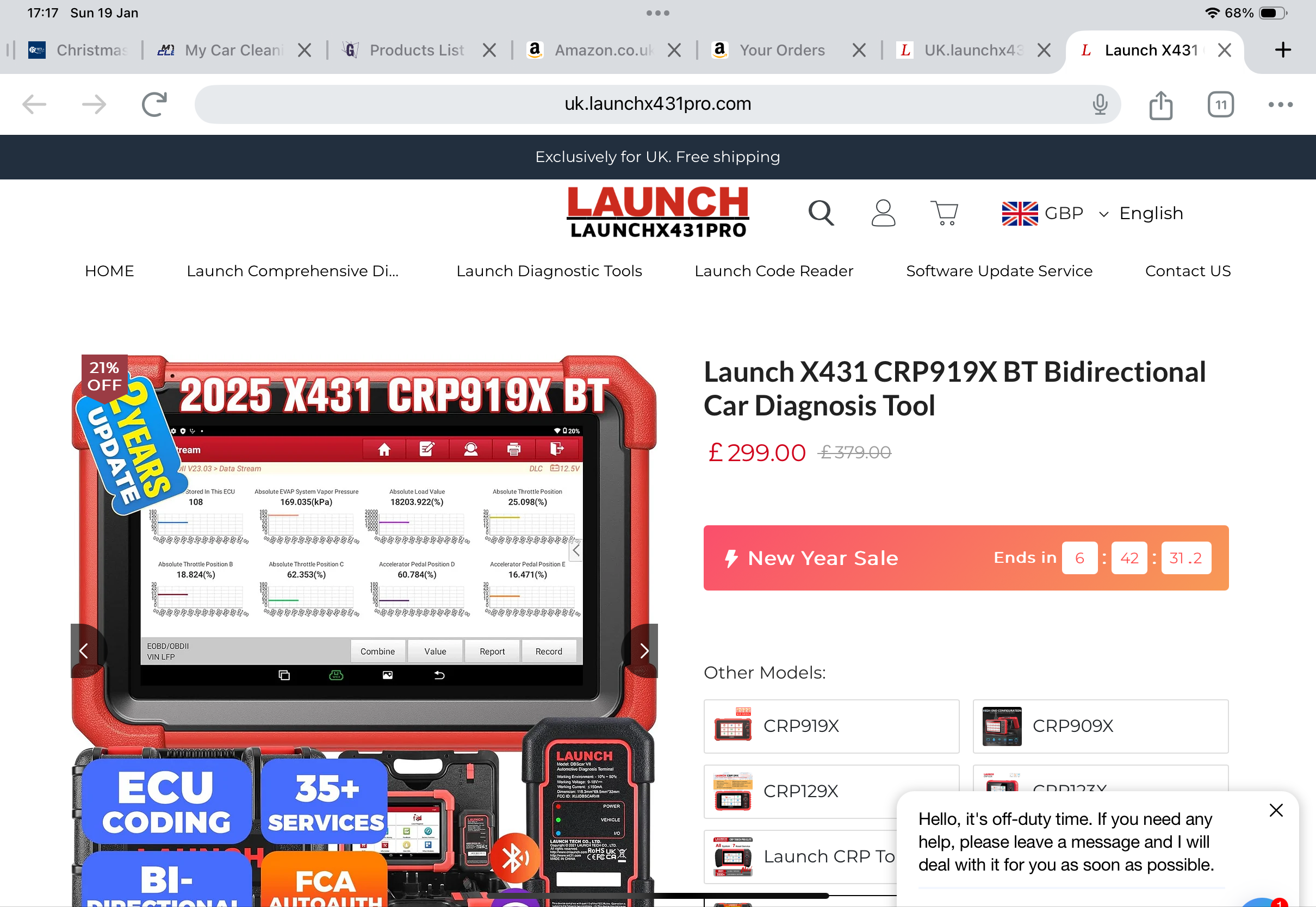
- IMG_1384.png (1.59 MiB) Viewed 2063 times
Re: 718 Coding using Launch X431 tool
Posted: Tue Jan 21, 2025 5:26 am
by Pitch
NYMD wrote: Sun Dec 22, 2024 1:39 pm
One more question — if you modify settings, such as “remember auto start/stop“, and then you flash an ECU tune onto it (like APR or Cobb), does it overwrite those x431 settings?
Sorry for jumping in with a late reply. This is the ONLY thing that I don't like about my APR tune and something to keep in mind.
IIRC, in addition to the remember auto start/stop there is also a default setting on start. I had set this to default off (vs. on). I had this configured before my ECU tune. Instead of using this code, the APR tune inverses the behavior (and as expected the light indicator) but only in Normal Mode. As I had it coded to default to off and the APR tune inversed the behavior (off now equaled on); I was cancelling out the APR change. Once I set the code back to default on everything worked as expected from APR (start/stop off).
It was very distracting at first and to be honest I do not like the behavior. IMHO, the indicator light functionality should not change when in Normal or Sport. It bothered me at first but I'm used to it now.
