Page 3 of 20
Re: 718 Coding using Launch X431 tool
Posted: Wed Apr 12, 2023 12:43 pm
by Arne2
Don't like the side marker lights? Everywhere other than North America the front "marker" lights are used only for side indicators. So turning off the side marker function is simple.
But do note, this cryptically named setting defeats all side marker (position) light functions. They only flash with blinkers or hazards if you do this.
Side marker defeat
- System Selection > Front-end Electronics > Coding value--Exterior lighting--Exterior lighting: direction indicator at side direction indicator output = No
{Default for North America: Yes}
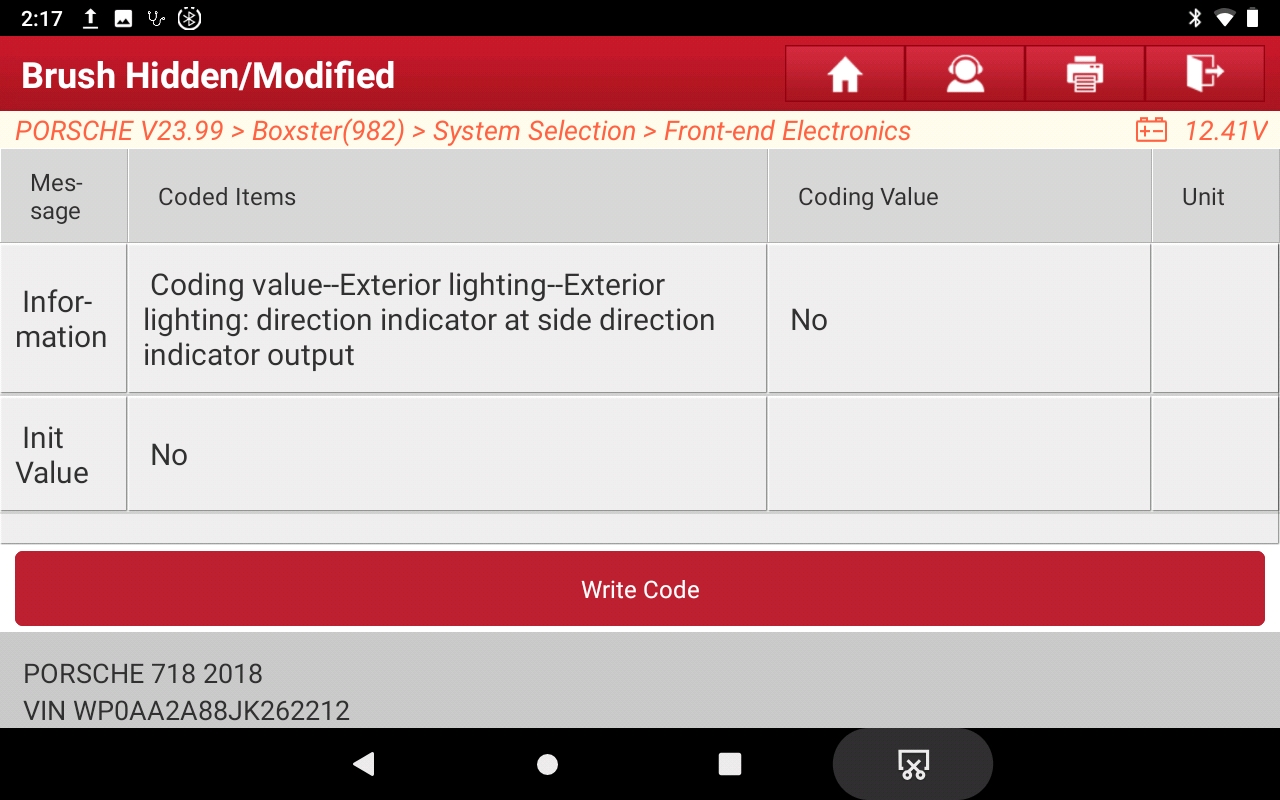
- Sidemarker defeat.jpeg (442.36 KiB) Viewed 3503 times
Re: 718 Coding using Launch X431 tool
Posted: Wed Apr 12, 2023 12:50 pm
by Arne2
Here's a simple one. (And don't ask me why this one isn't a user choice in the PCM like it is in VWs.) Change your turn signal "One-Touch flashing Cycle" from 3. The valid range is 1-5, I changed mine to 4.
Configure One-Touch flashing Cycle
- Front End Electronics > Coding > Coding_0 > Exterior Lights Parameters-One touch flashing cycles = [select from 1 to 5]
{Default: 3}

- Comfort blinkers.jpeg (454.85 KiB) Viewed 3503 times
Re: 718 Coding using Launch X431 tool
Posted: Wed Apr 12, 2023 1:15 pm
by Arne2
Seatbelt warnings. I never drive without belting up, but I do not need my car to chime and display warnings if I start it to back it out of the garage to wash it (for example). So those chimes and lights and warnings just annoy me.
There are either 1 or 4 params to change, depending on preferences.
Disable seatbelt warnings
Do only the 4th one (Acoustic) to simply kill the chimes without affecting the lights and MFI warnings. Do all 4 to completely disable all belt warnings.
- Instrument Cluster > Coding value--Coding byte 2--Driver seatbelt warning = 0
{Default: 1}
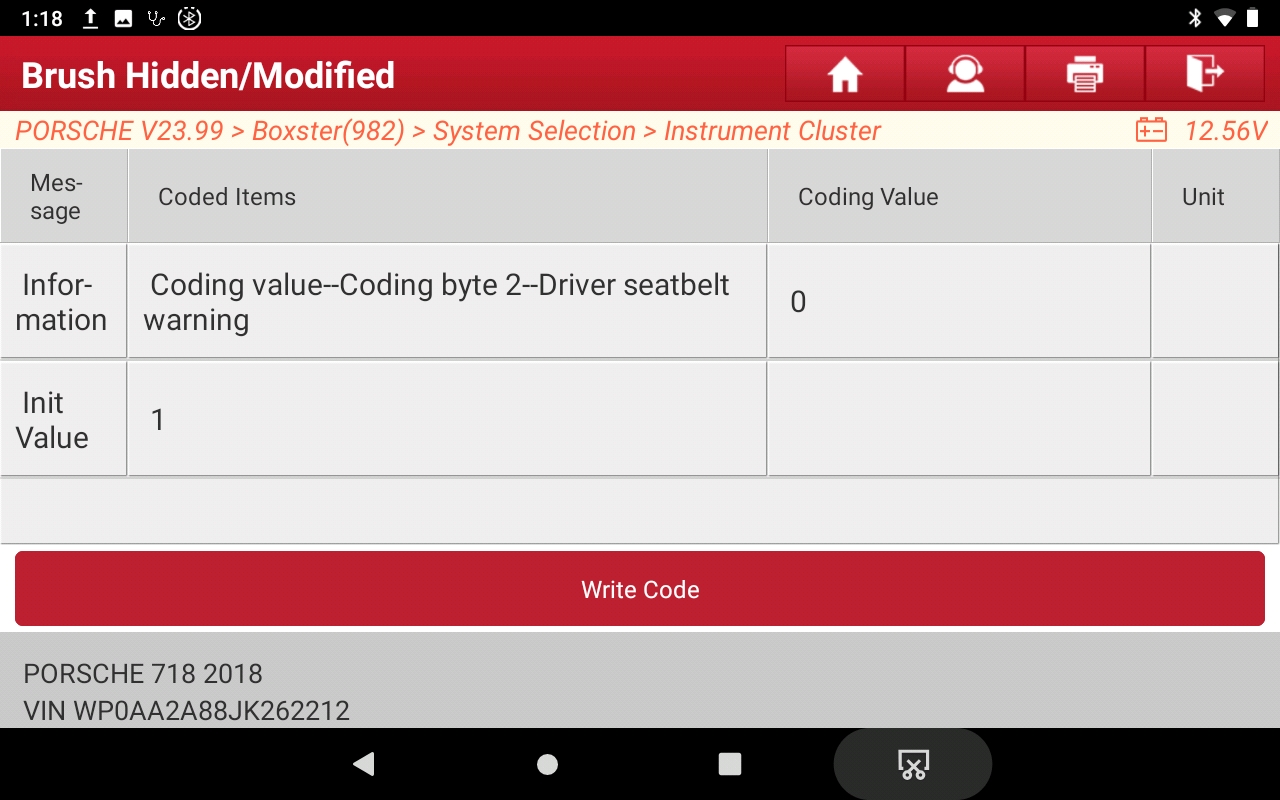
- Seatbelt warning-1.jpeg (425.15 KiB) Viewed 3497 times
- Instrument Cluster > Coding value--Coding byte 2--Passenger seatbelt warning = 0
{Default: 1}
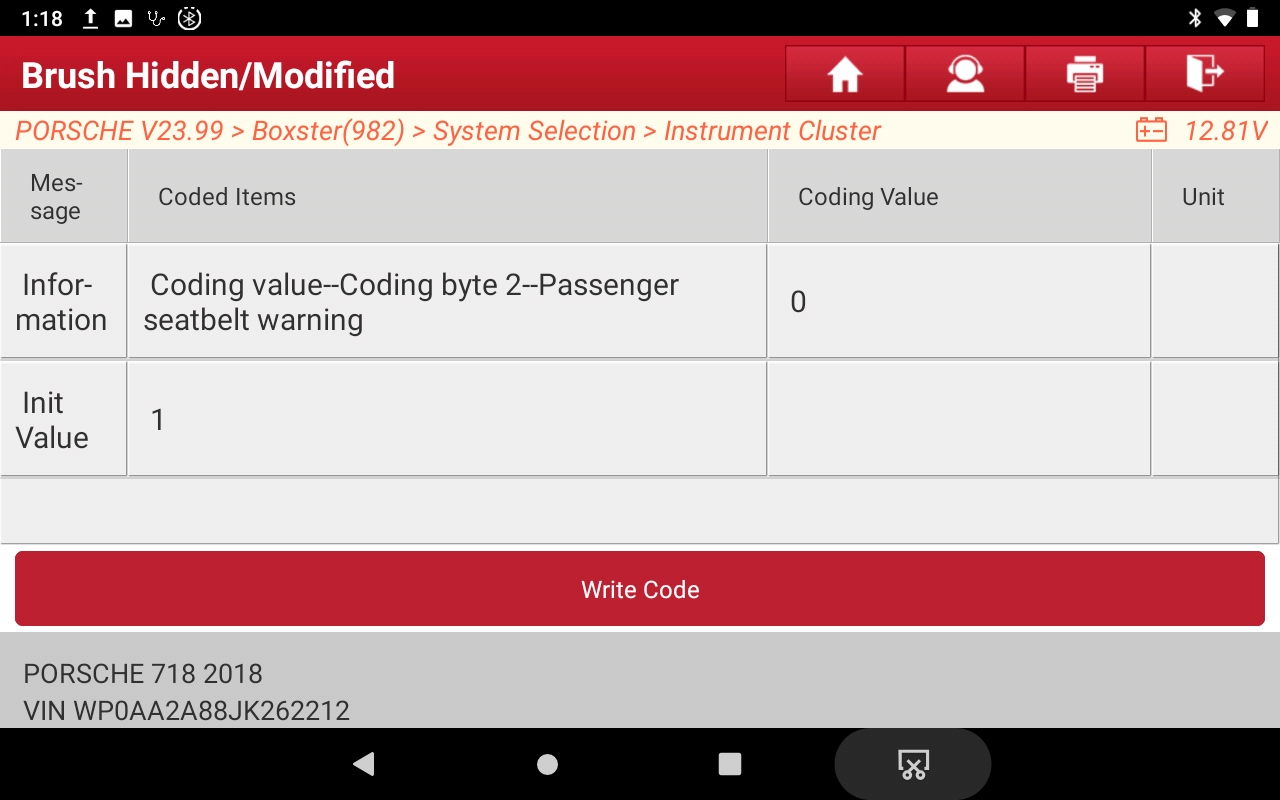
- Seatbelt warning-2.jpeg (425.56 KiB) Viewed 3497 times
- Instrument Cluster > Coding value--Coding byte 2--USA seatbelt warning = 0
{Default: 1}

- Seatbelt warning-3.jpeg (424.49 KiB) Viewed 3497 times
- Instrument Cluster > Coding value--Coding byte 2--Acoustic belt warning (Not USA, not Canada) = 0
{Default: 1}

- Seatbelt warning-4.jpeg (431.64 KiB) Viewed 3497 times
Re: 718 Coding using Launch X431 tool
Posted: Wed Apr 12, 2023 1:22 pm
by Arne2
Two codes for the windows, one for opening, the other for closing. Do one, the other or both as you prefer.
Activate window open/close with fob
- Front End Electronics > Coding value--Comfort functions--Window Comfort Opening = YES
{Default: No}

- Comfort windows-1.jpeg (429.32 KiB) Viewed 3496 times
- Front End Electronics > Coding value--Comfort functions--Window Comfort Closing = YES
{Default: No}
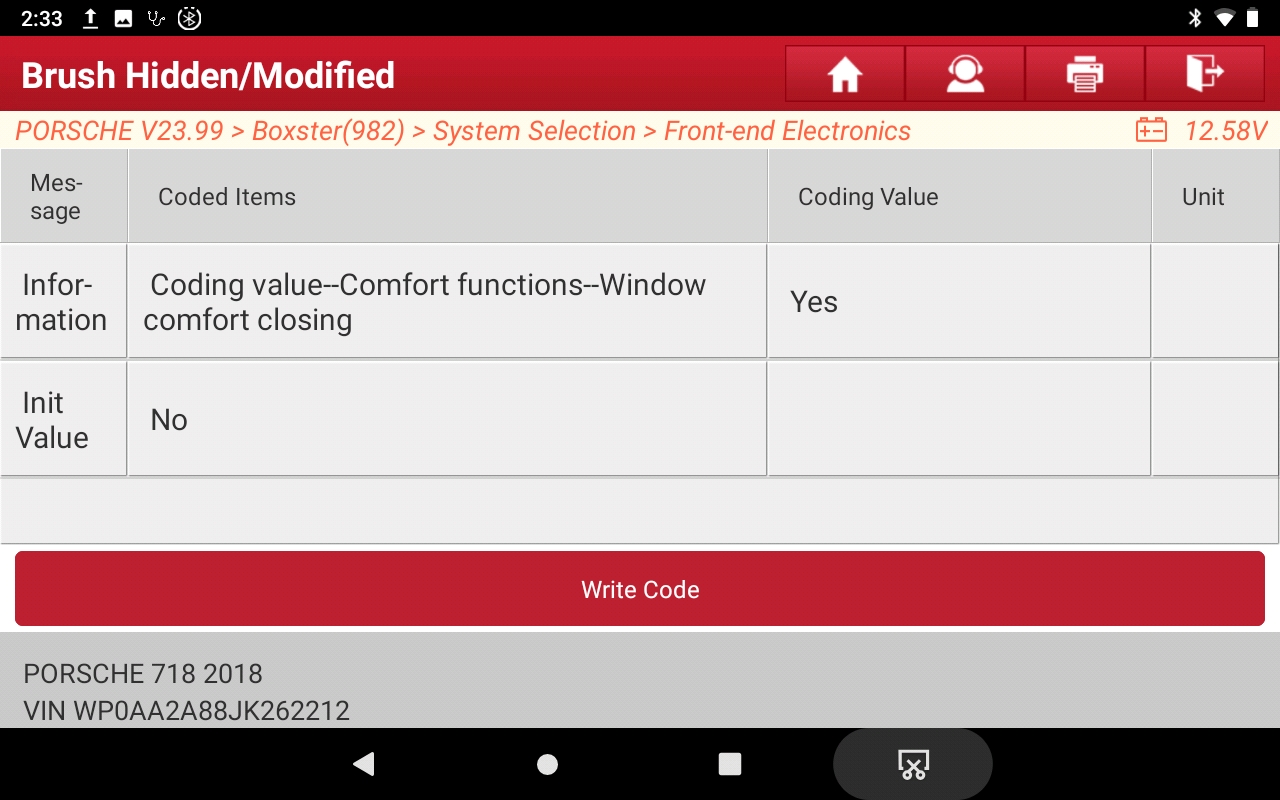
- Comfort windows-2.jpeg (429.04 KiB) Viewed 3496 times
Re: 718 Coding using Launch X431 tool
Posted: Wed Apr 12, 2023 4:12 pm
by 718socal
Good job.
Re: 718 Coding using Launch X431 tool
Posted: Wed Apr 12, 2023 4:37 pm
by 718socal
Larry C wrote: Tue Apr 11, 2023 8:25 pm
Arne,
Thanks for all the helpful information. This is a bit off topic, but do you know if my 2022 Cayman GTS has proximity sensors? If it does, they don’t work. I’m wondering if I don’t have them or they are just deactivated. If the latter is the case, can they be activated via coding?
Thanks,
Larry
Hi Larry, I did a few retrofits for 2022 Boxter. MY 2022 did not have the proximity sensors (Frunk & Trunk) because of the chip shortage. Porsche installed some dummy sensors in the front and rear bumpers.

They are not hard to install just time consuming. That requires the removal of your front and rear bumpers. This has been documented. You can ask me more when we meet.
Re: 718 Coding using Launch X431 tool
Posted: Wed Apr 12, 2023 7:25 pm
by Arne2
Re: 718 Coding using Launch X431 tool
Posted: Wed Apr 12, 2023 8:01 pm
by J-Dub
Thanks for these details. I have not yet bought a X431 however it seems I will need one when I do an oil change so it is inevitable.
Is setting the oil change and maintenance lights just as intuitive?
Re: 718 Coding using Launch X431 tool
Posted: Wed Apr 12, 2023 8:12 pm
by Arne2
J-Dub wrote: Wed Apr 12, 2023 8:01 pm
Thanks for these details. I have not yet bought a X431 however it seems I will need one when I do an oil change so it is inevitable.
Is setting the oil change and maintenance lights just as intuitive?
Easier. That is part of the normal service menu, no coding needed.
Re: 718 Coding using Launch X431 tool
Posted: Wed Apr 12, 2023 9:38 pm
by Arne2
You can change the Sound Symposer (Soundaktor) sound volume, or even turn it off. The soundaktor is a device that produce artificial engine sound to ”enhance“ engine sound in the cabin. (I've found very little difference between 0 and 10%. Mine is set at 10% now.)
Edit or defeat Sound Symposer volume
- System Selection > Sound symposer > Loudness_actuator_for_structure_borne_sound = [0-100]
{Default: 100}
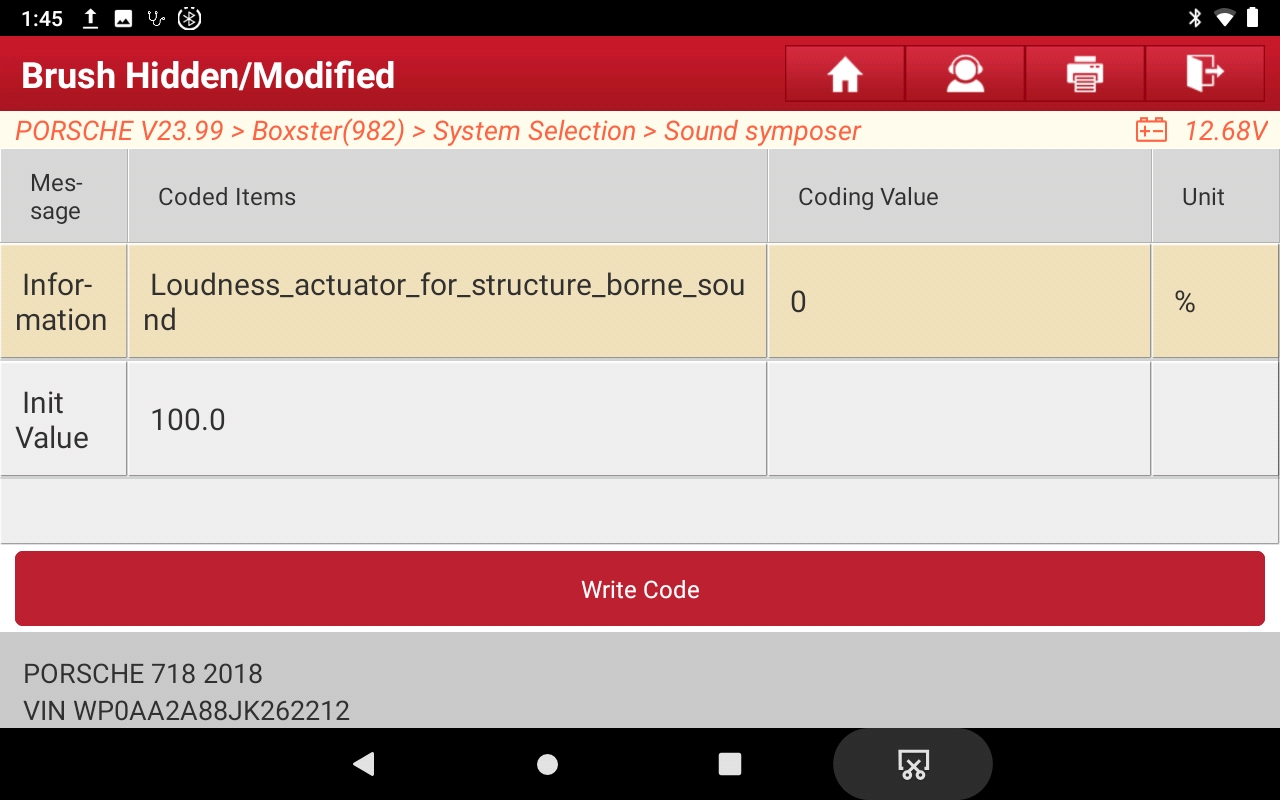
- Soundaktor.jpeg (452.12 KiB) Viewed 3439 times
